Dailymotion Video Downloader
This Dailymotion video downloader converts any dailymotion.com or dai.ly video link into a downloadable MP4 file, completely free. No account, app installation, or browser extension is required — just paste the link and download.
What is a Dailymotion Video Downloader?
A Dailymotion video downloader is a browser-based tool that saves a public Dailymotion video to your phone or computer as an MP4 file, using only the video's link. You paste the URL, the tool checks which quality options the video is actually available in, and you download the file straight to your device — no software installation, no browser extension, and no Dailymotion account required.
It sounds simple, and it is. But it helps to know what's actually happening behind that one paste-and-download step, and why anyone would need a separate Dailymotion video downloader online in the first place — Dailymotion itself doesn't give you a native "download" button on most videos. The provided tool works by checking which of those formats a specific video actually has and pulling the highest one available as a standard MP4.
How to Download a Dailymotion Video (Quick 3-Step Guide)
Downloading a Dailymotion video takes three steps and usually takes under a minute: copy the link, paste it into the tool, and download — the fastest way to download Dailymotion videos for free, with nothing to install. Here's exactly how each step works.
Step 1: Copy the Video Link
Open the Dailymotion video you want to save — on the website or in the app — and copy its link. You can do this straight from your browser's address bar, or by tapping Dailymotion's own Share button on the video and selecting Copy Link. Both methods work identically for this tool; the full breakdown of each method (with screenshots) is right below in How to Copy a Dailymotion Video Link.
Step 2: Paste the Link Into the Tool
Come back to the DAILYMOTION VIDEO DOWNLOADER above, click into the input box, and paste the link (Ctrl+V on desktop, or press-and-hold → Paste on mobile). Hit the download button. The tool reads the link and pulls up the thumbnail for you to confirm either its the same video or not.
Step 3: Hit the Download Button
After the video is confirmed, hit the download button and the progress will start. The tools downloads the highest quality available/ uploaded and saves the video automatically to your device — a straightforward DAILYMOTION TO MP4 conversion with no extra steps.
How to Copy a Dailymotion Video Link
There are two reliable ways to grab a Dailymotion video's link — and knowing both is really the whole trick behind how to download dailymotion videos quickly. Which one you use mostly comes down to whether you're on a computer or scrolling on your phone.
Method 1 — Copy Directly From the Browser (Desktop)
Copy the Dailymotion video link directly from your browser's address bar, then paste it into the downloader.
Open the Dailymotion video on dailymotion.com in Chrome, Firefox, Safari, or Edge.
Click once inside the browser's address bar — this usually highlights the entire URL automatically.
Copy it with Ctrl+C (Windows) or Cmd+C (Mac), or right-click the address bar and choose Copy.
Head back to the downloader and paste it in.
Method 2 — Use the Share Button (Desktop, Mobile Web & App)
Use Dailymotion's built-in Share option to copy the video link without manually selecting the URL.
On the video itself, look for the Share icon. On Dailymotion, this is usually a small paper-airplane symbol beneath or beside the player.
Tap or click it. A small panel opens with sharing options.
Select Copy Link. Dailymotion copies the video's URL straight to your clipboard — no need to manually select any text.
Switch to the downloader and paste the link into the box.
Supported Dailymotion Link Formats
A Dailymotion video downloader works with any valid Dailymotion video link — you don't need to hunt for a special format. Paste what you have, and the tool takes it from there.
| Link Format | Example | Where You'll Find It |
|---|---|---|
| Standard video URL |
dailymotion.com/video/x1r9fvd
|
Browser address bar |
| Short link |
dai.ly/x1r9fvd
|
Shared links, Dailymotion's own Share button |
| Mobile app share link | Copies one of the two above | Dailymotion app → Share |
Standard video URL is what you get when you open a video directly on dailymotion.com and copy the address from your browser. It's the full, canonical link, and it always works.
Short dai.ly links are Dailymotion's own shortened version of that same address — built for sharing, not a different video. Paste one in exactly as you copied it; the tool follows it straight to the source and pulls the same video either way.
Sharing from the Dailymotion app puts one of these two links on your clipboard for you — usually the short dai.ly version — so you don't have to type or copy anything manually. Once it's copied, it pastes into the downloader box just like any other link.
No matter which of the three you're holding, it's still just a Dailymotion download link the tool can read — paste it, and it resolves to the actual video.
Key Features of Dailymotion Downloader
MP4 Video or MP3 Audio
MP4 video or MP3 audio, from the same link. Grab the full video as a standard MP4 that plays on literally anything — VLC, your phone's gallery, WhatsApp. Or, if you only care about the audio (an interview, a music clip, a podcast-style upload), pull just the MP3 instead of saving a video file you'll never actually watch.
No Watermark
No watermark. A lot of free tools brand the exported file with their own logo stamped in a corner — free advertising for them, a ruined clip for you if you're reusing it in a presentation or a video edit. This one hands back the file exactly as the uploader posted it.
No Login or Registration
No login, no registration. Some "free" downloaders quietly gate the actual download button behind an email signup — it's a lead-gen move dressed up as a login wall. There's no account system anywhere in this flow; paste the link, get the file.
Completely Free & Unlimited
Completely free, unlimited downloads. No daily cap, and no "first 3 downloads free, then upgrade" wall pushing you toward a paid tier — DOWNLOAD DAILYMOTION VIDEOS as many times as you need.
Fast Processing
Fast processing. Since the tool is pulling the video file that's already sitting on Dailymotion's own servers — not re-encoding or compressing anything — it resolves and hands you a link in about the time it takes the page to load.
No Data Stored
No data stored. The link you paste is used once, to fetch that video, and isn't logged or kept in any download history tied to you.
Highest Quality Automatically
Downloads the highest quality automatically — no picking required. There's no dropdown asking you to choose between 380p, 480p, or 720p. The tool checks what quality tiers the video actually has behind the scenes and gives you the best one the uploader provided. That matters more than it sounds: a lot of downloader tools hand you a list of resolutions and expect you to guess which one is "real," and it's easy to tap the wrong option and end up with a blurry file thinking you got the good one. Removing that choice removes an entire way to mess up the download.
Works on PC, Android & iPhone
Works on PC, Android, and iPhone the same way. Because everything happens in the browser instead of an installed app, the exact same steps work on a Windows laptop, an Android phone, or Safari on iPhone. That also sidesteps a real limitation: Apple's App Store rules make dedicated iOS downloader apps rare and short-lived, so a browser-based tool is actually the more reliable option on iPhone, not a fallback.
Supported Content Types
Dailymotion organizes its library around four official verticals — news, sports, music, and entertainment — plus live broadcasts, and the download process is identical no matter which one a video falls under.
News clips — syndicated from publishers like BBC News, CNN, and France Télévisions. This is usually the "save it before it gets geo-blocked or pulled" use case — a segment covering something time-sensitive that might not stay up.
Sports highlights — sourced from partners including beIN Sports, CBS Sports, UFC, and NASCAR. People downloading these are typically archiving a specific match or highlight reel to watch later, offline, without depending on the app staying up during a flight or commute.
Music videos — distributed through Dailymotion's long-running deal with Universal Music Group. The download use case here is mostly personal offline listening rather than reposting.
Entertainment — licensed lifestyle and culture content from publishers like GQ and Sports Illustrated.
Live streams — scheduled live broadcasts, not just on-demand uploads. These are the one exception to "download anytime": a live stream can't be downloaded while it's still airing, because there's no finished file on Dailymotion's servers yet — only once the broadcast ends and Dailymotion converts it into an on-demand replay does a real link exist to pull.
What is Dailymotion?
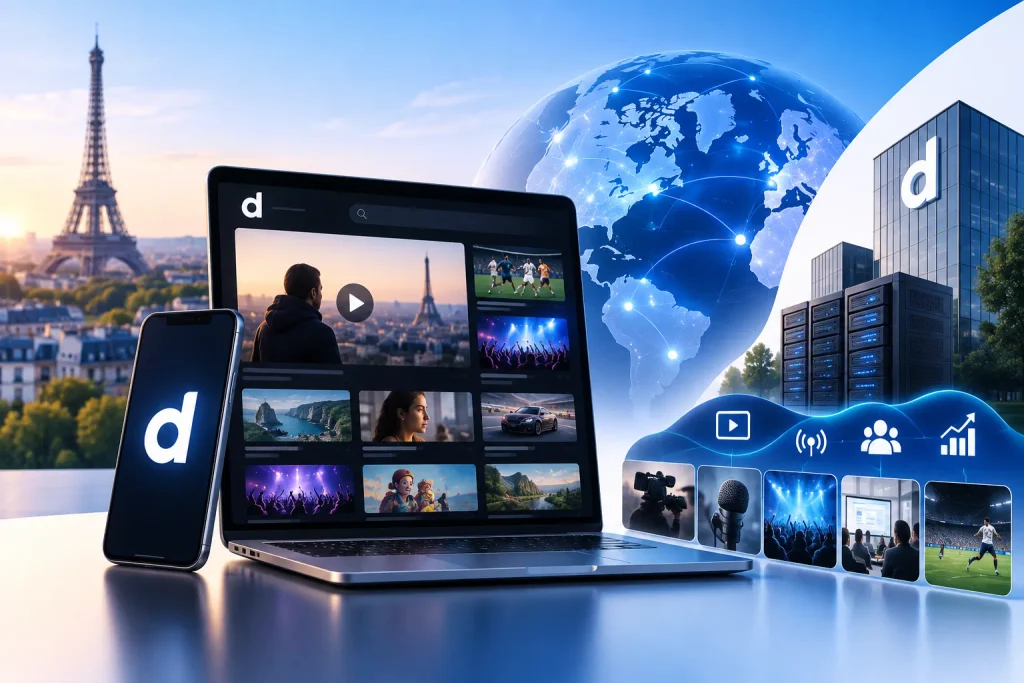
Dailymotion launched in 2005 in Paris, the same year as YouTube — the two platforms actually grew up side by side, though their paths diverged sharply from there. Today Dailymotion is a subsidiary of Canal+ Group (following Canal+'s 2024 split from its former parent Vivendi), and it reaches more than 400 million monthly users, generating over 4 billion views, with a presence in 190 countries. That's a fraction of YouTube's scale, but it's not trying to compete on raw size — Dailymotion has positioned itself as a curated destination built around licensed content from major publishers, rather than an open upload-anything platform.
Beyond the consumer site, Dailymotion also runs Dailymotion Pro, a separate paid product aimed at businesses and media companies rather than everyday viewers. It's a white-label video hosting and distribution platform — publishers can embed a Dailymotion-powered player on their own site with no Dailymotion branding, host content on EU-based, GDPR-compliant servers, and monetize through Dailymotion's ad network across live streams, webinars, and on-demand video.
Early adopters have included brands like Jonak and institutions like France's audiovisual regulator Arcom. It's worth knowing this exists mainly to understand the platform's dual identity: the public dailymotion.com site you're downloading from is the consumer-facing side of a company that also sells enterprise video infrastructure — which is part of why it has stayed a serious, well-funded platform rather than fading out the way many 2005-era video sites did.
Dailymotion vs YouTube
YouTube is the obvious comparison here — not TikTok, not Instagram, since neither is really a video-hosting alternative to Dailymotion the way YouTube is. Both launched in 2005, both host long-form video from publishers and creators, and both are free to watch without an account. Past that, they're built around genuinely different models.
| Dailymotion | YouTube | |
|---|---|---|
| Founded | 2005 | 2005 |
| Owner | Canal+ Group | Google (Alphabet) |
| Monthly users | 400 million+ | 2.7 billion+ |
| Content model | Curated, publisher-licensed content across news, sports, music, and entertainment | Open upload — anyone can publish, and the algorithm surfaces content |
| Countries | 190+ | Global |
| Creator access | Professional publishers, brands, media companies, and independent creators | Open publishing for individual creators, businesses, and organizations |
| Distribution | Web, mobile, connected TV, native apps, and publisher websites through its distribution network | Web, mobile apps, smart TVs, gaming devices, and embedded video across the web |
| Monetization model | Advertising and publisher-focused video monetization | Ads, YouTube Premium revenue, memberships, Shopping, and other creator monetization features |
The gap in scale is real — YouTube reaches roughly 1 in 3 people online worldwide, while Dailymotion's audience is a small fraction of that. But scale isn't the same as fit. YouTube's open-upload model means anyone can post anything, which is exactly why its catalog is so much bigger — and also why it's flooded with reposts, low-effort uploads, and content of wildly inconsistent quality.
Dailymotion's smaller footprint comes from doing the opposite: leaning heavily on professional publishers and licensed content rather than relying only on open uploads. Its platform supports creators and revenue-generating publishing partners, giving it a stronger emphasis on professionally produced video alongside independent creator content.
For someone downloading video, the practical difference is this: Dailymotion tends to host the "official" version of a clip from the publisher that owns it, while the same clip on YouTube might exist as one of a dozen reuploads of varying quality.
If you're saving a specific news segment, sports highlight, or publisher-produced clip, Dailymotion can be a useful alternative when the original publisher has uploaded the content there.
Is It Legal to Download Dailymotion Videos?
The honest, direct answer: it depends entirely on what you do with the video after you download it, not on the act of downloading itself.
Personal use. Saving a video to watch later, offline, on a flight, or somewhere without reliable internet is the lowest-risk use case there is. You're not distributing the file, not profiting from it, and not presenting it as your own — you're just changing how you view something you already had access to. This is the use case almost nobody gets in legal trouble for, in any of the countries below.
Reposting or commercial use. This is where it changes completely. Uploading someone else's Dailymotion video to your own YouTube channel, embedding it on a monetized website, or using it in an ad or a paid course is copyright infringement, unless you have the copyright holder's permission or a license. The video being publicly viewable on Dailymotion never transfers ownership of it; the original creator or publisher still holds the copyright, the same way a public library book is available to read but not available to reprint and sell.
Here's how that plays out under the copyright law of a few specific countries:
Pakistan
Copyright Ordinance, 1962 (amended 1992, 2000)
Generally low-risk
Infringement — can carry fines and imprisonment
India
Copyright Act, 1957
Permitted under the private/personal use exception (Section 52)
Infringement — civil and criminal penalties apply
United States
Copyright Act of 1976; enforced online via the DMCA (1998)
Generally low-risk, rarely pursued
Infringement — DMCA takedowns and statutory damages apply
Pakistan's Copyright Ordinance covers cinematographic and audio-visual works directly, and infringement can carry both a fine and up to three years' imprisonment under its amended provisions. India's Copyright Act explicitly carves out private and personal use as a permitted exception under Section 52, while commercial exploitation without a license remains a clear violation. In the US, the DMCA is the mechanism actually used in practice — platforms respond to takedown notices from rights holders, and repeat or commercial infringement can lead to statutory damages well beyond the value of the video itself.
One quick, honest caveat: this is a general summary of how copyright law treats personal versus commercial use, not legal advice for your specific situation. If you're planning to use downloaded video for anything beyond private viewing — a business, a channel, a client project — it's worth checking with a lawyer or the original publisher directly.
Privacy & Security — We Don't Store Your Data
There's a simple reason this Dailymotion download tool doesn't ask you to log in: it has nothing to keep an account for. The entire process is paste a link, get a file — there's no profile, no saved history, and no email address sitting in a database anywhere.
The video link you paste is used once, to fetch that specific video, and isn't logged or retained afterward. Nothing about which videos you've downloaded is stored against your identity, because nothing ties a download to an identity in the first place — there's no login system to do that linking even if someone wanted to. The site runs over HTTPS, so the link you paste and the file you get back are both encrypted in transit, the same baseline protection your bank's website uses.
This matters more than it sounds like it should. A lot of "free" downloader sites quietly build a download history tied to your IP or a tracking cookie, mainly to sell ad targeting data. There's no such tracking layer here — no download log, no account, nothing to breach even if someone tried.